
If you have a health plan with an HMO, you may hear hospitals mention a “PA code” before some treatments. This guide explains what pre-authorisation (PA) codes are, when you need one, how they work at Reliance HMO, and where providers can log in to the Reliance HMO provider portal.
All login links are also on the Reliance HMO login page.
A pre-authorisation code is an approval number your HMO issues before a hospital provides certain types of care. It confirms that you are an active member, that the care is covered by your plan, and that the hospital will be paid for it. The code is also used to track the care you receive.
Routine care, such as a general consultation at your primary hospital, often does not need a separate code. A PA code is usually needed for:
Check your plan benefits or ask the hospital if you are not sure.
You don’t usually need to request the code yourself. If there is a delay, call 0700-RELIANCE or reach the team through the Reliance Care app.
In an emergency, go to the nearest hospital on the Reliance HMO network. You don’t need pre-approval for emergency care in the first 24 hours. The hospital can request authorisation afterwards.
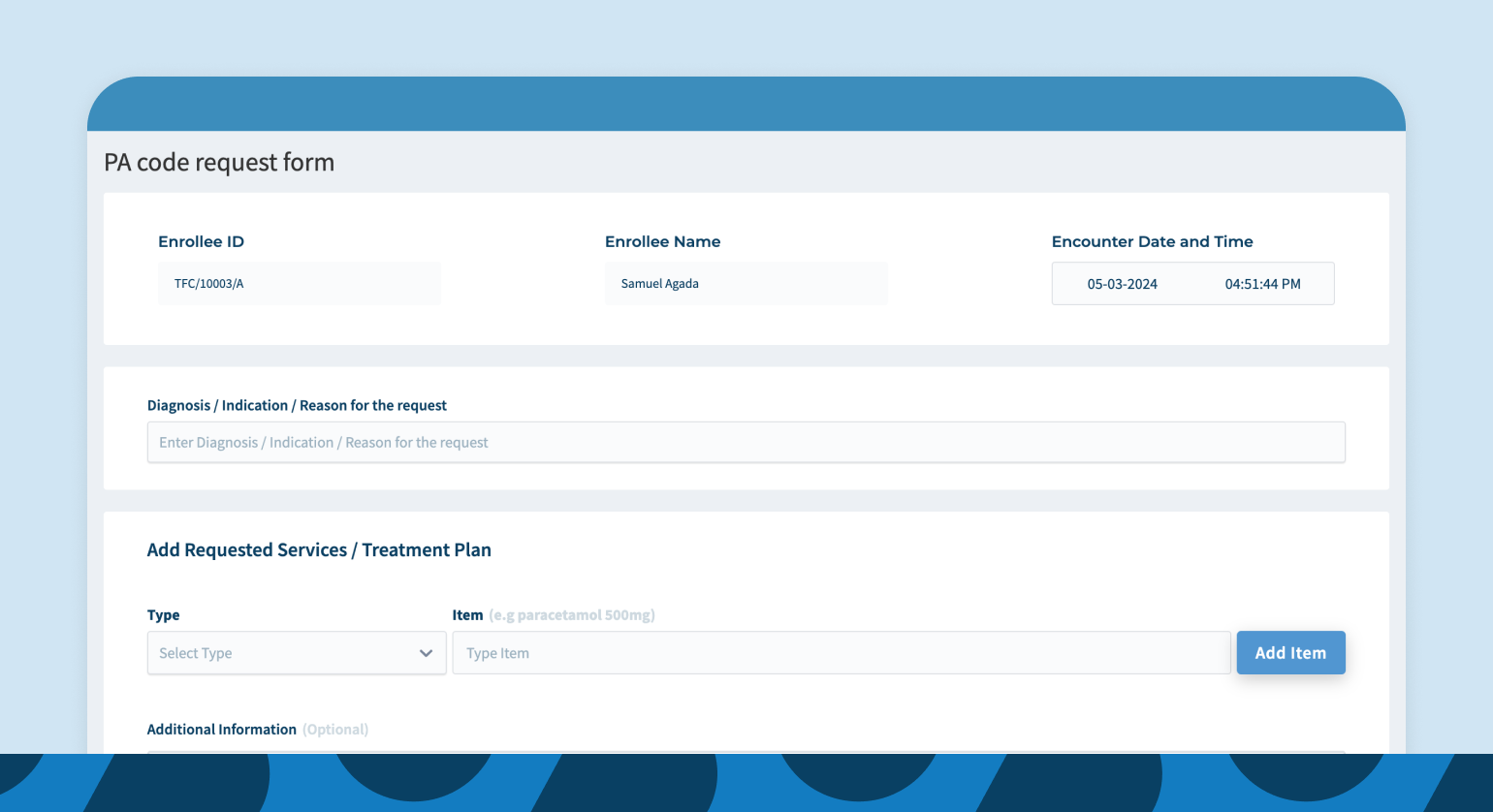
Reliance HMO has moved PA requests online. Providers submit requests directly in the provider portal instead of calling or emailing, which reduces errors such as wrong member IDs or out-of-cover requests, and speeds up approvals. Members can be kept informed about the status of their requests, including the reasons if a request is partly or fully declined.
As Ugochi Nwosu, SVP Clinical Services at Reliance Health, put it: “Healthcare access shouldn’t be a black box.”
If you disagree with a decision, contact Reliance HMO support and ask for a review. Learn more about how HMOs work and pre-existing conditions.
What is an HMO code?
It usually refers to a pre-authorisation (PA) code: an approval number your HMO gives a hospital before certain treatments.
How long does it take to get a PA code?
Many requests are approved quickly once the hospital submits them through the provider portal. Complex requests may need more review.
Where is the Reliance HMO provider portal?
Providers can log in at provider.reliancehmo.com.
Where do I find my HMO ID number?
Your member ID is in the Reliance Care app and your member dashboard.
Related guides: how to use your HMO at the hospital.